

Group 3
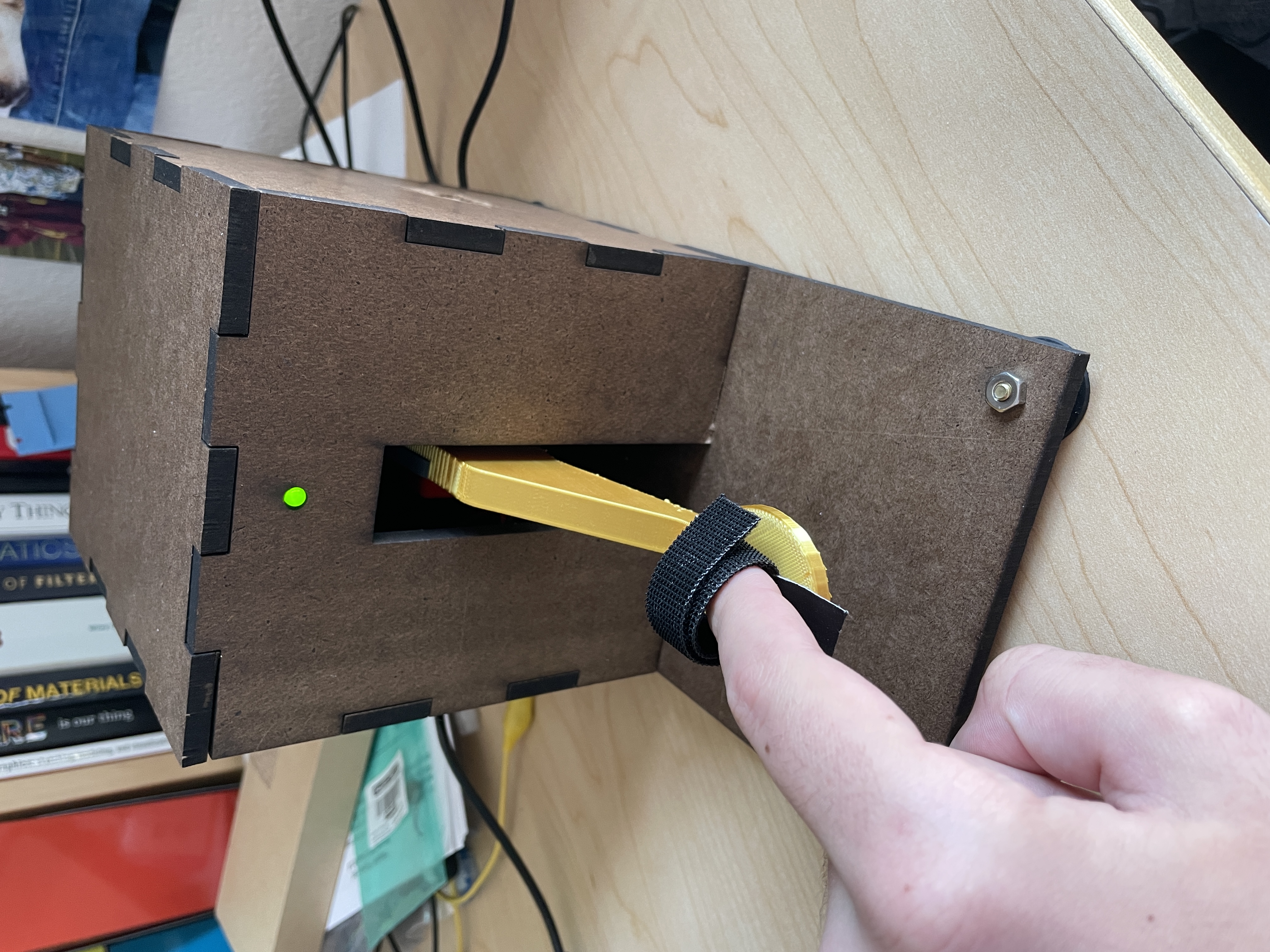
Caption:
The assembled TapKit device
TapKit: A Morse Code Teaching Device
Project team member(s): Afshan Chandani, Jack Dibachi, Andrew Sack
Learning to communicate with Morse code can be daunting and counterintuitive. Our goal is to create a haptic device which helps users learn to transmit Morse code messages in a matter of minutes. The TapKit, our Morse code device, will help users learn Morse code through a teaching sequence before allowing the user to test their recall. The TapKit was implemented by mounting a HapKit on a wall and adapting its handle to feel like a Morse code tapper. During teaching mode, the TapKit will pull an operator’s finger down for them in the pattern. In testing mode, the TapKit functions and feels like a regular Morse code tapper as the user recalls the pattern. The device helps the user to learn Morse code by providing kinesthetic feedback in order to improve the rate at which the user can recall the pattern. Overall, the device succeeded in its goal and improved the user's ability to recall Morse code patterns.
On this page... (hide)
Introduction
Our team would like to study how haptic feedback can aid in the recall of muscle-memory based patterns. Haptic devices present a new pathway towards education and training separate from standard visual and audio media, and the TapKit serves as an exploration into one means of education via kinesthetic feedback. The project is aimed at users who want to be able to recall Morse code phrases from memory, and want to be taught those phrases as quickly as possible. The TapKit is designed to feel like the user is actuating a real spring-loaded Morse code tapper, while also providing firm force during the teaching phase. The haptic feedback displayed by the TapKit can also be abstracted to teach patterns apart from Morse code by providing general feedback to a user's finger to aid their recall ability.
Background
The studies completed in "Towards Passive Haptic Learning of piano songs" [1] describe the use of Passive Haptic Learning and Rehearsal on the ability to recall piano music. The haptic system consists of a glove with ERM vibration motors in each knuckle that stimulate each finger in time to the music. Song phrases were practiced with the haptic feedback by the participants, who then underwent a “forgetting” period in which they actively did another task, before being tested on their retention of the song phrase. The results indicated that the haptic stimulation had about 25% the amount of errors as a control test, which indicated that the haptic feedback was beneficial to the retention of the muscle memory based information. This result provides solid rationale for the success of our haptic device, since it is teaching muscle memory for Morse code in a similar fashion, using a tapper instead of a glove.
The studies completed in "Tactile taps teach rhythmic text entry: passive haptic learning of Morse code" [2] used a Google Glass to perform passive learning. The bone conducting transducer on the Glass was used to create haptic buzzes of Morse code messages and the touchpad was used by the user to tap out Morse messages in return. The user wore the Google Glass for an extended period where they alternated between doing tests to assess their Morse code ability and distraction tests where the Google Glass buzzed Morse code while they were focused on other things. This paper is a useful reference of what else has been done in learning Morse code and will be useful for developing our own study procedures and assessments.
The studies completed in "Passive Haptic Learning of Typing Skills Facilitated by Wearable Computers" [3] aim to teach people to type phrases on a Braille keyboard using passive haptic gloves. The fingerless gloves have vibration motors on each knuckle, which are buzzed by an embedded microcontroller. Users are given a phrase to type out on a special keyboard consisting only of letters A to H, an enter key, and a space key. After three attempts typing a specified phrase with haptic feedback, study participants had a mean error rate of less than 20%, whereas participants without haptic feedback or past experience with the keyboard had error rates of approximately 70%. These findings demonstrate that our goal of using haptic feedback to teach Morse code in a short time span is feasible.
Methods
Hardware design and implementation
The TapKit design is very simple. It consists of a base constructed out of laser-cut 1/4 inch duron which is glued together to form a rigid structure. The HapKit is mounted at a 90 degree angle to the back using 8-32 screws and nuts. The standard HapKit handle is removed and replaced with a 3D Printed Morse code tapper handle.
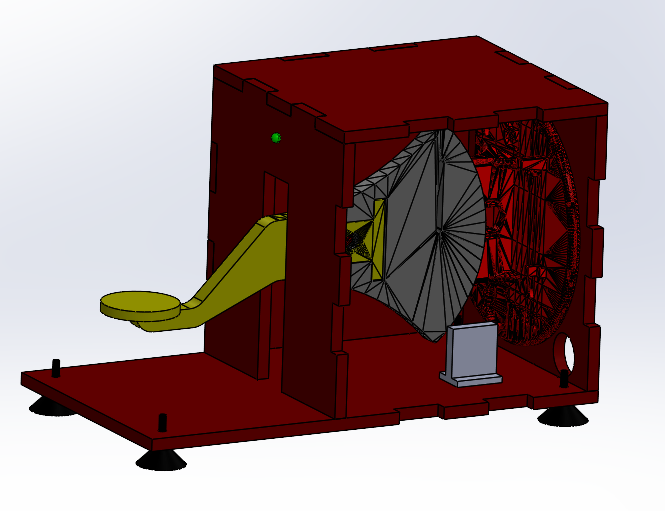
The suction cup feet included in the HapKit are attached to the base to allow it to be placed on a table securely. An indicator LED and a piezo speaker are attached to the front in order to provide audio and visual feedback alongside the force feedback from the capstan drive.
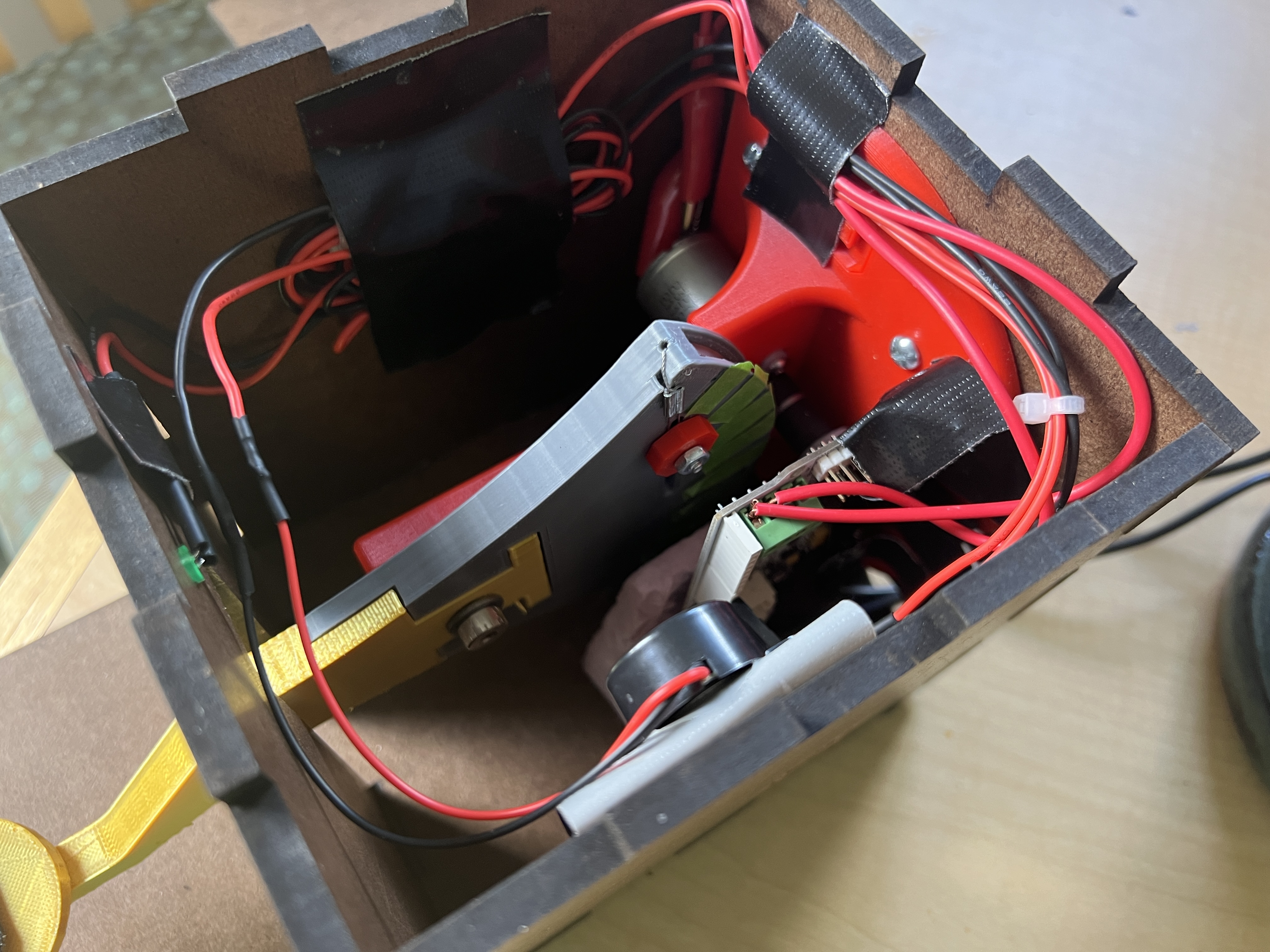
A strap of velcro is attached to the handle in order to secure the user's finger to the device. This overall design presents a clean aesthetic by hiding most of the major components, and allows for easy servicing of the device. DXFs of the TapKit duron and an STL of the tapper handle can be found in the files section below.
Control Analysis
With the desired position Xd and current tapping handle position Xh, the dynamics of the TapKit can be analyzed in the Laplace Domain with the block diagram:

where knudge is the stiffness of spring force nudging the user's finger to the desired position. The system transfer function H expressed in the Laplace domain variable s is:

For the system to oscillate about the desired position with a user present, the poles of the transfer function must have imaginary components, so

There is high variance in the parameters khuman and bhuman from user to user, especially because the user may change how much additional input force they add during use. However, these parameters may stabilize over time as the user spends more time with the device.
GUI
The HapKit board communicates over Serial with a laptop running a Graphical Interface built in Processing. All communication is one-way from the TapKit to the laptop and consists of plain-text ASCII messages separated by newline characters. The GUI reads these messages and converts them into commands, as well as words to display.
The GUI consists of static instructions and a title, as well as a dynamic display of the word being taught in both regular text and morse code. As a word is being chosen, the words are shown on the GUI to allow the user to know what they are selecting. When the actual training begins, the round number is shown and each letter of the word is highlighted when it is the letter being currently tapped out. As the user taps, each character is sent to the GUI and is displayed in red or green depending on if that is the correct character in that position.
When the training is complete, the GUI automatically resets to allow another session to begin.

Demonstration / application
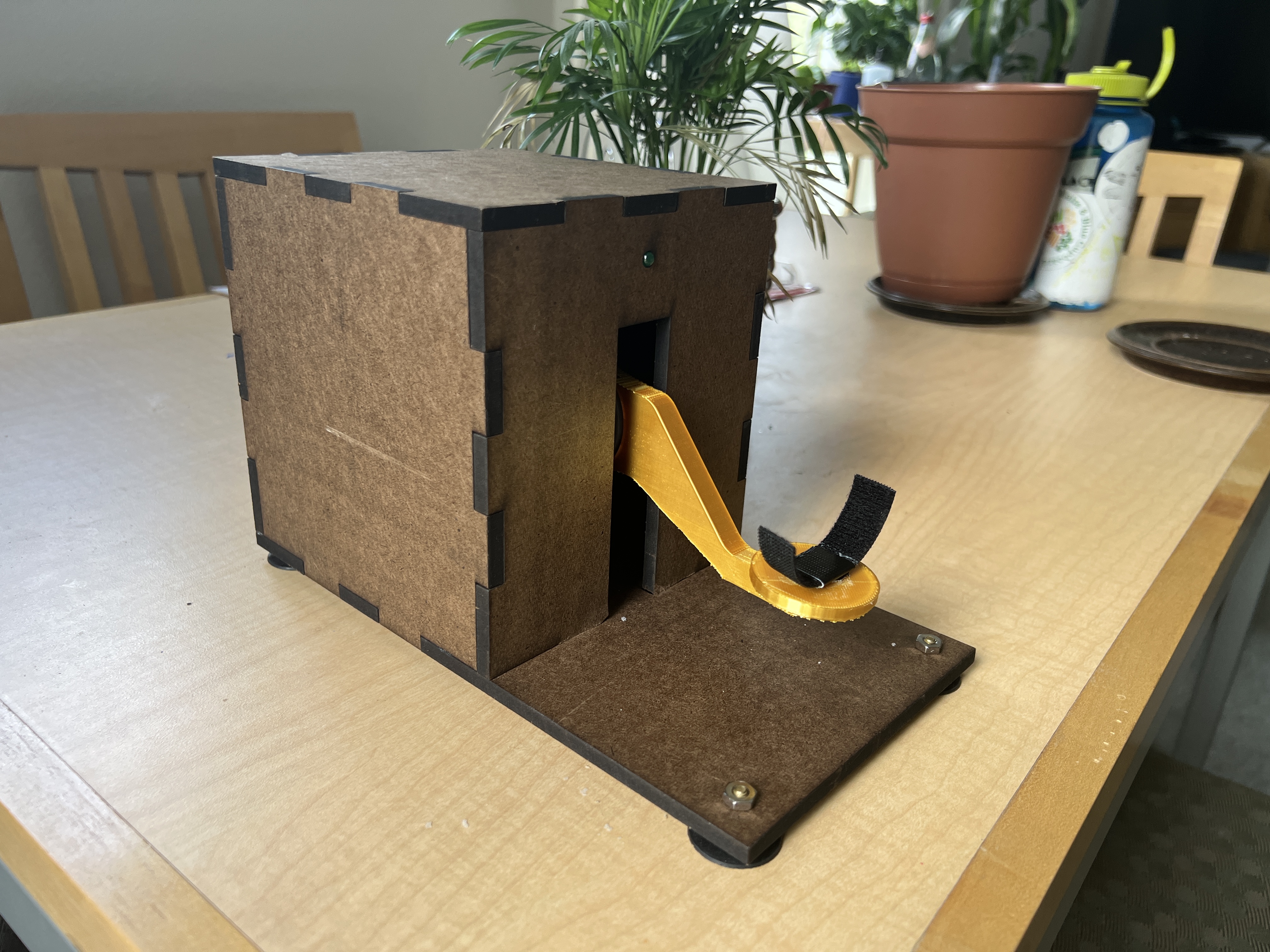
The TapKit was demonstrated at the ME 327 Expo.
The demonstration setup
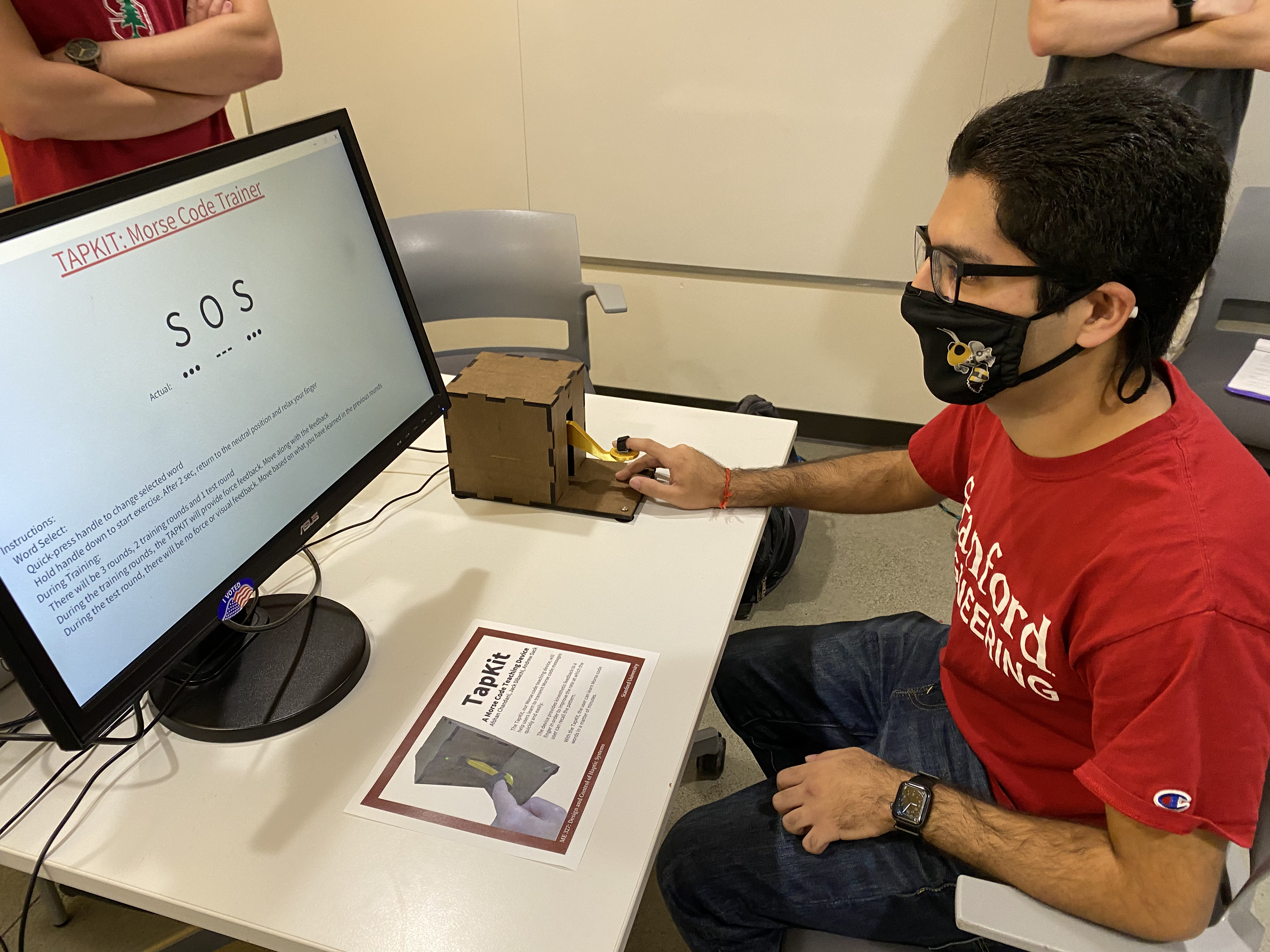
Video of using the TapKit https://youtu.be/CX8n0hPTZsE
Results
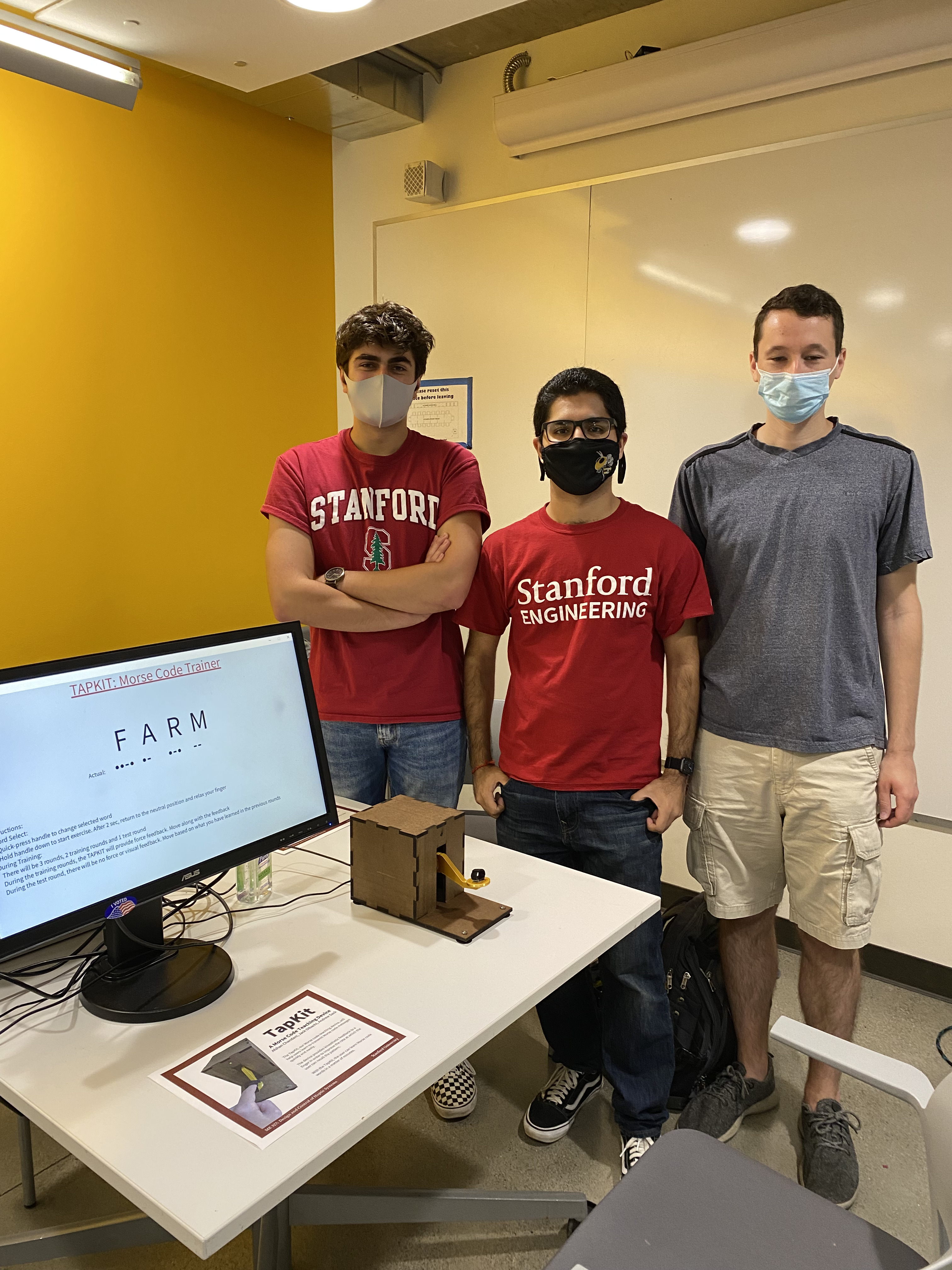
The TapKit was demonstrated at the ME 327 Expo. Users were able to recall the pattern after learning via the kinesthetic feedback. While overall the device performed its function, some areas for future work were discovered. Many users indicated that it took a little while to get used to the force the TapKit provided before they were actually able to utilize it to its fullest effect. One common issue that was discovered was that the force an individual put into the TapKit had more variance than was planned for, and thus the device oscillated in some cases. A major point of success was the feel of the device. Multiple users responded very well to how the device felt when they were tapping the message out on their own, due to a combination of the visual, haptic, and auditory feedback the device presented. Overall the TapKit was a successful prototype that could be improved further.
Future Work
One piece of future work would be to perform user testing with the TapKit device. This would involve having users use the device for a much longer period of time (hours or days instead of seconds), so they are better able to become accustomed to the device as well as learn the Morse code phrases they are being taught. From our testing during the Demo day, the current session time of roughly 1 minute is much too short for the user to become comfortable with the device.
There are also several improvements that could be made to the device. The way that the device measures the duration of dots and dashes could be improved to provide a more accurate and reliable detection of Morse characters. Some damping could also be added to the control system of the handle, so the handle does not oscillate as much when little or no pressure is applied by the user.
There are also some improvements that could be made to the GUI. The method of displaying accuracy could be improved and used to calculate a score. More modes and training words could also be added to allow more customizability in training sessions.
Files
Code and drawings should be linked here. You should be able to upload these using the Attach command. If you aren't willing to share these data on a public site, please discuss with the instructor. Also, in this section include a link to a file with a list of major components and their approximate costs.
TapKit Mechanical Files Attach:TapKitFiles.zip
TapKit Bill of Materials Attach:TapKitBOM.pdf
TapKit Code https://github.com/dibachi/ME327Final
References
[1] Caitlyn Seim, Tanya Estes and Thad Starner, "Towards Passive Haptic Learning of piano songs," 2015 IEEE World Haptics Conference (WHC), 2015, pp. 445-450, https://doi.org/10.1109/WHC.2015.7177752.
[2] Caitlyn Seim, Saul Reynolds-Haertle, Sarthak Srinivas, and Thad Starner. 2016. Tactile taps teach rhythmic text entry: passive haptic learning of morse code. In Proceedings of the 2016 ACM International Symposium on Wearable Computers (ISWC '16). Association for Computing Machinery, New York, NY, USA, 164–171. https://doi.org/10.1145/2971763.2971768
[3] Caitlyn E. Seim, David Quigley, and Thad E. Starner. 2014. Passive haptic learning of typing skills facilitated by wearable computers. In CHI '14 Extended Abstracts on Human Factors in Computing Systems (CHI EA '14). Association for Computing Machinery, New York, NY, USA, 2203–2208. https://doi.org/10.1145/2559206.2581329
Appendix: Project Checkpoints
Checkpoint 1
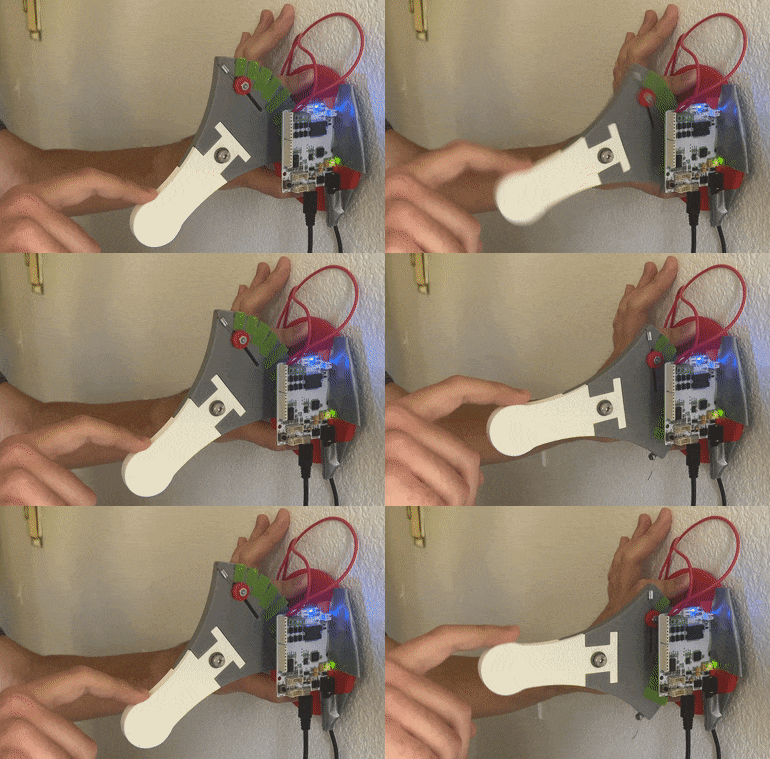
We constructed an initial design of our device. The device consists of a side-mounted Hapkit with a modified handle which looks like a morse code tapper and a laser-cut shell. The shell includes mounting spots for suction cups to keep the device steady, as well as a hole for an LED to incorporate visual feedback. The handle will also include a strap which secures the user's finger to the device.
We also programmed an initial Morse code sequence to teach users. The SOS sequence is hard-coded into the Arduino code, such that the tapping lever will pull down for some period of time to simulate tapping a telegraph contact. During the spaces between dots and dashes, as well as between individual letters and words, the tapping handle exerts a force on the user's finger to restore the lever to the non-contact resting position. Further work needs to be done to stabilize the system in the absence of a user, as well as reducing the pulldown force over time.
Checkpoint 2
The TapKit was constructed out of laser-cut duron, and the custom handle was 3D-printed to mate with the standard HapKit interface. A velcro strap was attached to allow the user to be pulled by the arm in a stable manner. An LED and an ERM motor were hooked up to the board to provide visual and auditory feedback upon a user press, however it was determined that the ERM motor was too quiet. A piezo speaker was ordered in order to provide clearer sounds.
Before the teaching stage begins, users have the option to select from three preset words by tapping on the TapKit handle during the word selection phase. To proceed with the desired word, the user holds down the handle for three seconds. When the user begins, the TapKit moves the handle according to the corresponding dot or dash. Although the handle moves, it is up to the user to make contact in the later stages to form the correct dots and dashes. The TapKit takes note of each contact time and reports to the GUI whether it was a dot, a dash, or a space between dots and dashes. During the training phases, our GUI displays the word, the Morse code sequence, as well as the user input. If the user input dot or dash is correctly placed, it will appear as green, but if the dot or dash is in the incorrect place, it prints red.